
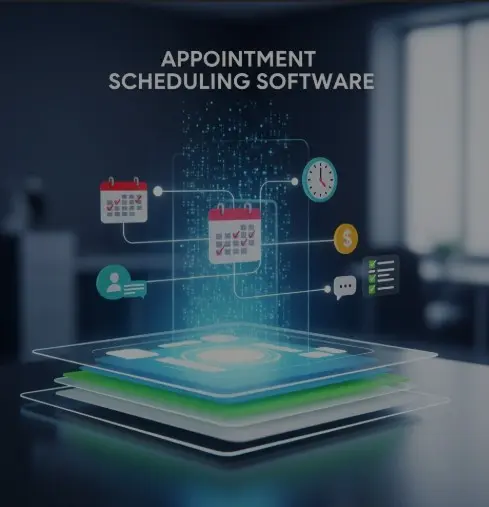
What Is Appointment Scheduling Software?
Imagine this: Your day starts with a double booking you didn’t notice, followed by a frustrated customer who forgot their appointment, and then three back-and-forth emails just to confirm a time slot. Meanwhile, your staff is overwhelmed, trying to keep up with calls, cancellations, and rescheduling requests.
This is the reality for many businesses still using manual scheduling systems.
The problem? Manual scheduling is slow, error-prone, and damaging to customer experience.
So the question becomes: What is appointment scheduling software and how does it solve these problems?
In this guide, you’ll learn what this tool is, how it works, its key features, benefits, and how to choose the right one for your business.
All About Appointment Scheduling Software?
Appointment scheduling software is a digital tool that allows businesses to automate the process of booking, managing, and tracking appointments. Instead of relying on phone calls, paper calendars, or spreadsheets, businesses use a centralized system where all scheduling happens in real time.
Unlike generic calendar apps (Google Calendar, Outlook, etc.), scheduling software includes advanced capabilities like automated reminders, online self-booking, staff calendar coordination, cancellations, rescheduling, and payment collection.
Who Uses It?
This software is used across numerous industries, including:
-
Healthcare practices
-
Salons and beauty clinics
-
Fitness trainers and studios
-
Consultants, therapists, and coaches
-
Home service providers
-
Educational centers and tutoring services
Example:
A small clinic reduced no-shows by 25% simply by switching from manual phone reminders to automated SMS confirmations.
How Appointment Scheduling Software Works
Most modern scheduling tools are cloud-based, meaning they work online and sync across devices.
How It Works:
-
Self-Service Booking Portals
Customers choose their preferred date, time, and service without calling. -
Real-Time Availability
Time slots update instantly no double bookings or outdated calendars. -
Calendar Integration
Syncs with Google Calendar, iCal, Outlook, and team schedules. -
Automated Reminders
Sends SMS, email, or app notifications to reduce no-shows. -
Instant Confirmations
Customers get immediate responses without waiting for staff.
Mini Anecdote:
One consulting firm reduced administrative workload by over 40% after automating scheduling and eliminating repetitive emails.
Key Features to Look for in Appointment Scheduling Software
Not all scheduling tools are the same. Here are the features that matter:
Essential Features:
-
Online Self-Booking
Allows clients to book 24/7, even after business hours. -
Payment Processing
Collect deposits or full payments at the time of booking. -
SMS & Email Reminders
Automated reminders help prevent missed appointments. -
Multiple Staff Calendars
Ideal for clinics, salons, or studios with multiple providers. -
Custom Scheduling Rules
Set buffer times, maximum bookings, or special availability. -
Client or Patient Data Management
Store preferences, history, or notes securely. -
Mobile + Desktop Access
Manage your schedule on the go.
Benefits of Using Appointment Scheduling Software
The benefits go far beyond automated booking. This type of software directly impacts productivity, customer satisfaction, and revenue.
Top Benefits:
-
Better Customer Experience
Clients appreciate fast, simple booking with instant confirmations. -
Reduced No-Shows
Automated reminders can cut no-shows by up to 30%. -
Improved Productivity
Staff can focus on service not scheduling chaos. -
Streamlined Operations
Less manual work and fewer scheduling errors. -
Higher Revenue
Efficient booking means more appointments, fewer gaps, and fewer cancellations.
Businesses that automate scheduling often see significant time savings, allowing them to serve more clients without adding staff.
Common Mistakes Businesses Make When Choosing Scheduling Software
Avoid these mistakes to ensure you pick the right tool:
-
Ignoring mobile compatibility
-
Forgetting to check integrations (POS, CRM, EHR, etc.)
-
Overlooking security or industry regulations (HIPAA for healthcare)
-
Choosing software that’s too complex for staff
-
Not verifying customization options such as service types, time buffers, or multi-location support
These mistakes often lead to frustration, low adoption, and wasted money.
How to Choose the Right Appointment Scheduling Software
Follow this step-by-step guide:
-
Assess your scheduling volume – number of daily/weekly appointments.
-
Identify industry-specific needs – healthcare may require HIPAA compliance, salons need multi-provider support, etc.
-
Look for automation features – reminders, confirmations, follow-ups.
-
Check integration capabilities – calendars, CRMs, payment systems.
-
Compare pricing models – monthly fees vs. per-user charges.
-
Take advantage of free trials – test usability before committing.
Choosing the wrong software can lead to data silos, missed bookings, or inefficient workflows so take your time evaluating.
Conclusion: Is Appointment Scheduling Software Worth It?
Absolutely. Appointment scheduling software helps businesses reduce no-shows, improve customer experience, streamline operations, and increase revenue. It takes the stress out of managing bookings and gives you more time to focus on what really matters serving your customers. Streamline your booking process today with AAAMB’s Appointment Scheduling Services.